JPG to vector, from scans and old files
Many logos and drawings only survive as a JPEG: a scan, an email attachment, a screenshot of a website. Adaver traces a JPG into vector shapes, with settings that clean up the blocks, halos and blur those files carry, so the result looks like the original design rather than the damaged copy.
PNG, JPG, WebP, AVIF, BMP or GIF. Finished drawings are saved to My drawings.
Example
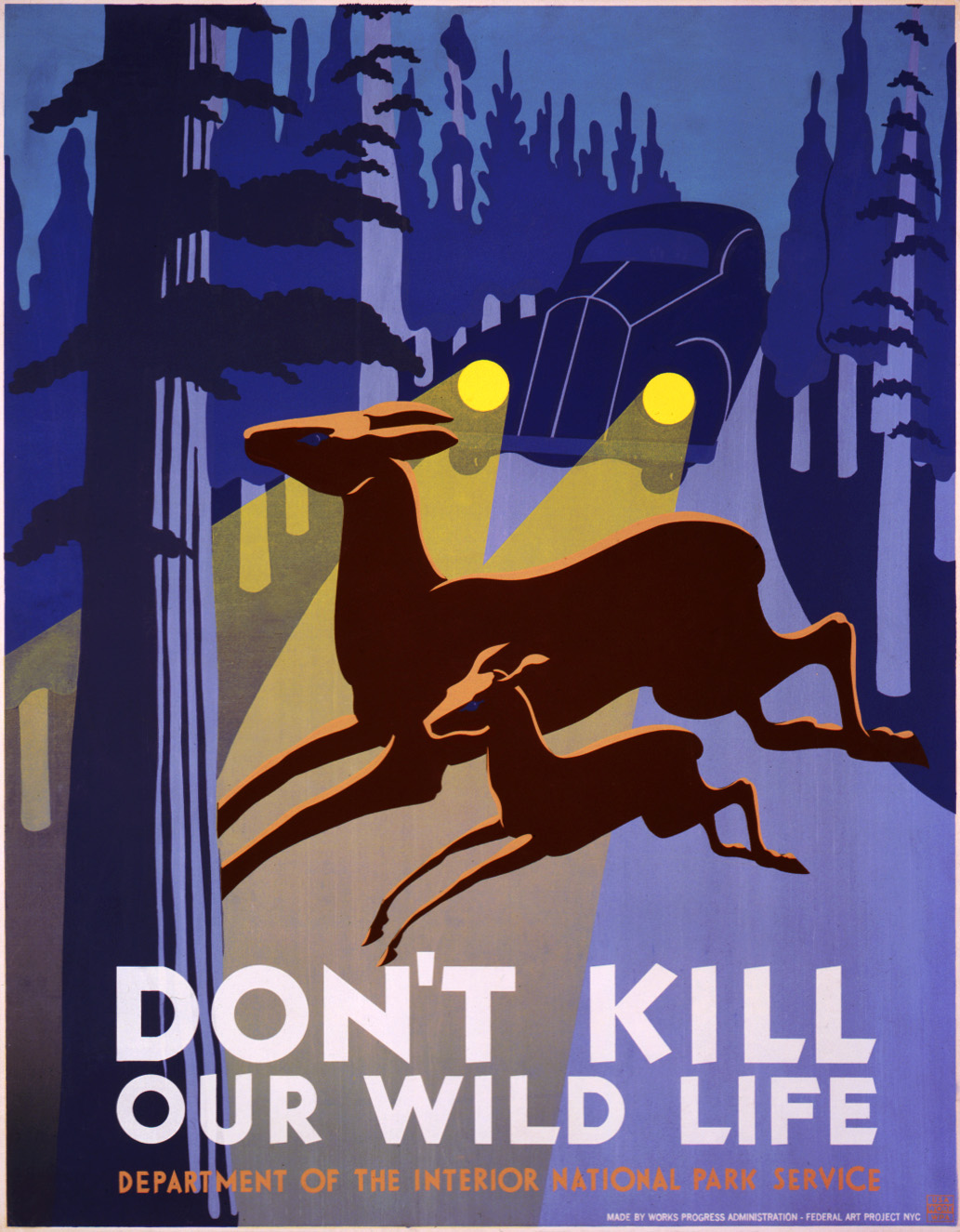
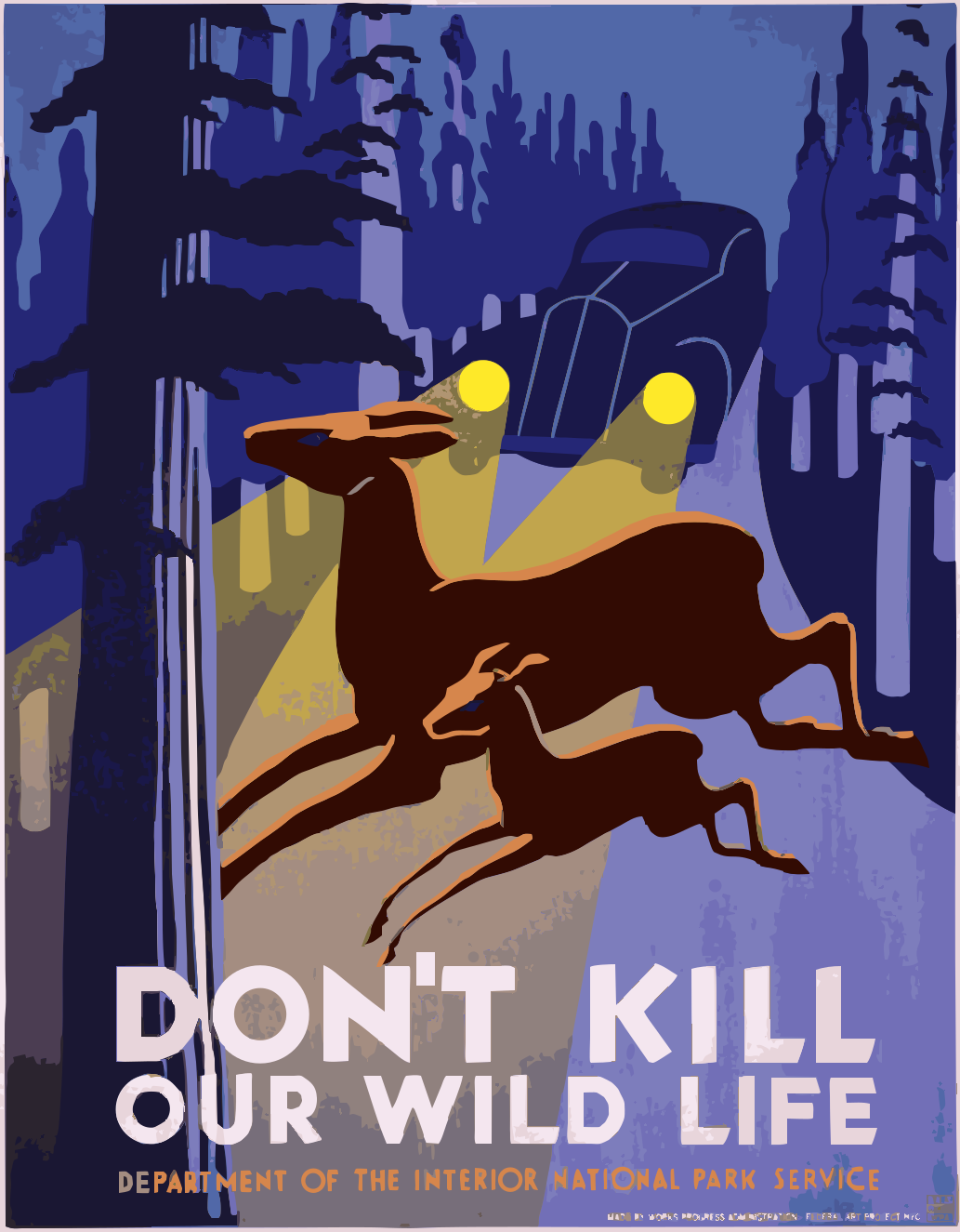
A public-domain WPA poster saved as a JPEG and traced with the default settings into 21 colors, with no edits by hand. Its lettering and flat areas come out as clean shapes, ready for PDF or EPS.
by WPA Federal Art Project · Public domain (source, opens in a new tab)
How to vectorize a JPG
Upload the JPG
Choose, drop or paste it. For a scan, crop it to the artwork first; for a logo, use the largest copy you can find.
Clean it up before tracing
In Studio's trace settings, turn on Clean up JPEG noise for blocky files and Sharpen soft edges for blurry ones. For a scanned black drawing, switch Color mode to B&W and move the threshold until the lines are solid.
Download the vector
Merge leftover shades and delete specks, then, with Pro, download PDF, EPS, SVG or DXF. Each new version or format uses 1 credit.
Scans and drawings on paper
A scanner also picks up paper texture, shadows and slightly gray ink. B&W mode turns every pixel black or white at the threshold you choose, so a pen drawing or a stamp comes out as solid shapes. Raise the threshold to keep faint lines; lower it to drop smudges.
Start from a good scan if you can: a flat, evenly lit page at 300 dpi or more gives the tracer firm edges. Phone photos work too, but straighten and crop them first, since Adaver traces the image exactly as it is.
Blurry or tiny JPGs
A logo saved small and then enlarged has soft edges, which trace as thin rings of in-between colors. Sharpen soft edges snaps those edges back into one step before tracing, and Upscale 2× or 4× gives the tracer more pixels on a small image.
Neither can invent detail that isn't there. If small lettering is unreadable in the JPG, it will be unreadable in the vector too; set that text again in your design tool.
Questions
Can I vectorize a hand-drawn sketch?
Yes. Scan or photograph it on plain paper, switch to B&W mode and adjust the threshold. Each pen line becomes a thin filled shape with an outline on both sides, which looks right on screen and in print.
Why does my vector have so many colors?
JPEG compression creates many near-identical shades. Turn on Clean up JPEG noise, then merge similar colors in Studio until only the design's real colors remain.
Which download should I choose?
PDF or EPS for print, SVG for the web and design tools, DXF for cutting machines. All of them come from the same drawing, and all downloads need Pro.
Does Adaver keep my scans?
Your scans and their drawings are saved to My drawings until you delete them there. Earlier versions and exports are deleted after 24 hours, sooner if you delete them in Studio, and they are never used for training.
More in the FAQ and on the pricing page.