Convert JPG to SVG
Logos and posters often reach you only as a JPG. Adaver traces a JPG or JPEG into an SVG whose shapes you can recolor or delete. Flat colors with clear edges trace cleanly. Compression noise takes a little care, and photos are a poor fit; both are explained below.
PNG, JPG, WebP, AVIF, BMP or GIF; large images take longer. Uploads are deleted after 24 hours.
Example
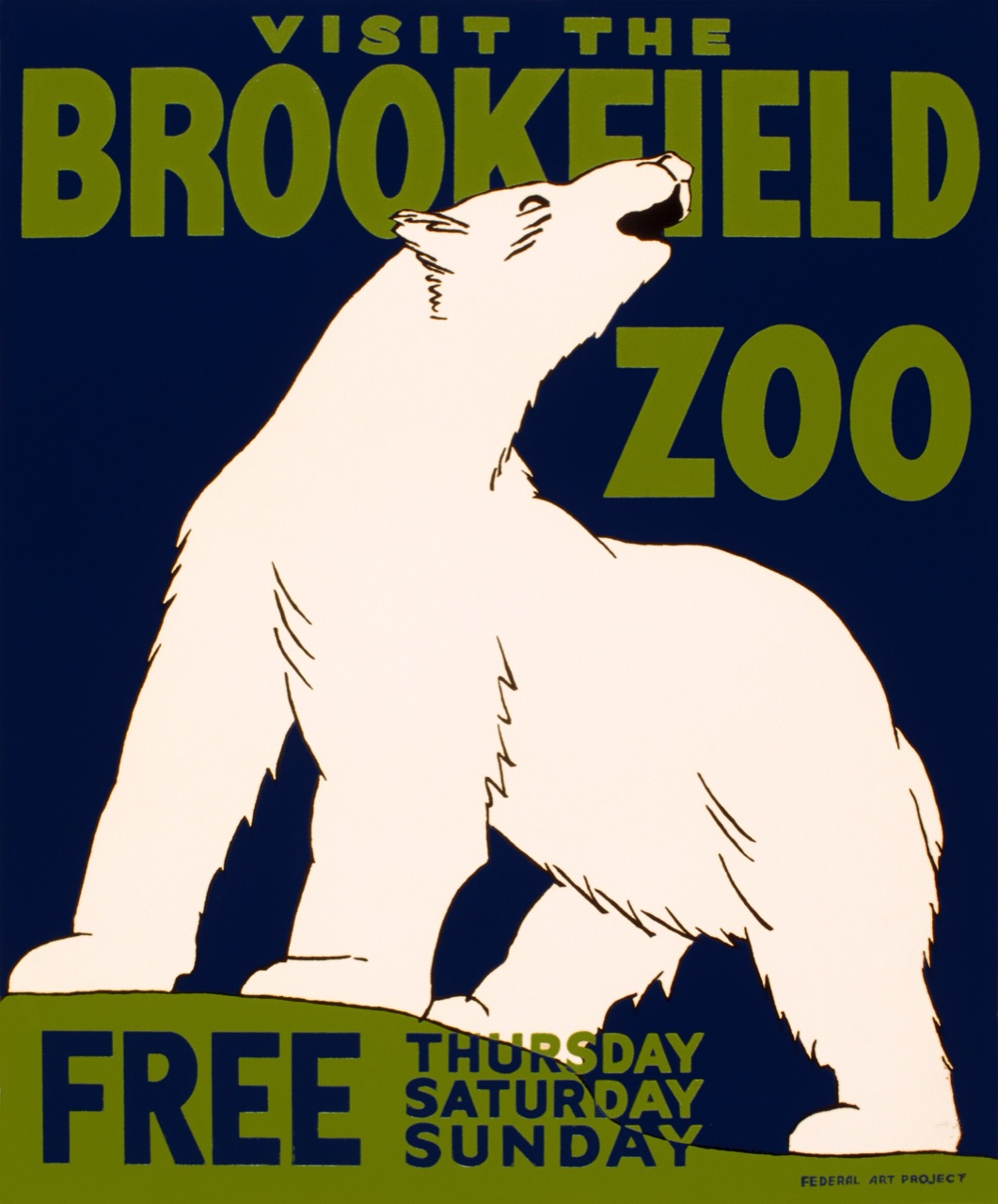

A public-domain poster saved as a JPEG, traced into a 10-color SVG straight from the default settings, with no hand edits.
How to convert JPG to SVG
Start from the cleanest copy
Use the largest JPG you have, ideally the original file rather than one saved from a website or a chat. Choose it, paste it or drag it onto the upload box. PNG, WebP, AVIF, BMP and GIF work too.
Compare the trace
Adaver traces your image, and Studio, its editor, opens with the result. Use Compare to check the vectors against your JPG, then try other trace settings and watch the preview change.
Clean up and download
Merge colors that compression split into near-duplicates, and delete stray specks or shapes you don't need. When it looks right, download the SVG with Pro.
Which JPGs turn into good vectors
Logos, icons, posters and flat illustrations come out well: a few solid colors with sharp edges become a few clean shapes. A simple test is whether you could count the colors in the image. If you could, it should trace well.
Cleaner traces from compressed JPGs
JPEG compression saves space by smudging fine detail, which leaves faint blocks and halos around edges. A tracer reads those as tiny extra shapes and extra colors.
In Studio's trace settings, turn on Clean up JPEG noise to smooth out that noise before the image is traced. Then merge similar colors until only the ones you meant are left: a logo drawn in three colors should end up with three.
Questions
Is JPEG to SVG any different from JPG to SVG?
No. JPG and JPEG are two file extensions for one image format, so a .jpeg file goes through the same steps and gives the same kind of SVG.
Can I turn a photo into an SVG?
You can trace one, but the result is rarely what people want. Skin, sky and shadows are made of countless small changes in shade, and each band becomes a flat patch, so the SVG gets large and loses the photo's smooth look. If you need a flat drawing of the subject instead, describe it to the AI generator, which uses credits.
Do I have to pay to convert a JPG to SVG?
Not to trace or edit it. Pick a JPG before you have an account and it stays on your device until you sign up or log in; after that, traces and edits by hand are free within fair-use limits. Downloading the SVG, or any other format, needs Pro, and each new version or format uses 1 credit.
What else can I export besides SVG?
PDF, EPS, DXF and PNG. Each is made from the drawing as you left it in Studio, so recolored or deleted shapes carry over, and the JPG isn't traced again. Downloads need Pro, and each new format uses 1 credit; prices are on the pricing page.
More in the FAQ and on the pricing page.