Turn images into clean vectors.
An image to vector converter for logos, icons and flat illustrations. Bring an image, or describe one and let AI draw it.
PNG, JPG, WebP, AVIF, BMP or GIF. Finished drawings are saved to My drawings.
Fast on every kind of image
The average time Adaver takes to turn an image into a clean SVG.
37 ms
Simple images
Logos, icons and pixel art
Slowest run 142 ms
345 ms
Medium images
Posters and illustrations with many colours
Slowest run 486 ms
1.2 s
Complex images
Photos and detailed, grainy pictures
Slowest run 3.1 s
~30 s
Gradients
Smooth colour fades, when you turn Gradients on
Up to 1 min, longer for large images
Average and slowest trace time across 19 test images, 5 runs each, measured on 5 November 2026. Your upload adds a little time, and busy moments can be slower. Gradients timed on the live service on 13 November 2026.
See it in action
Pixels
- PNG
- JPG
- WebP
- AVIF
- BMP
- GIF
Vectors
- SVG
- EPS
- DXF
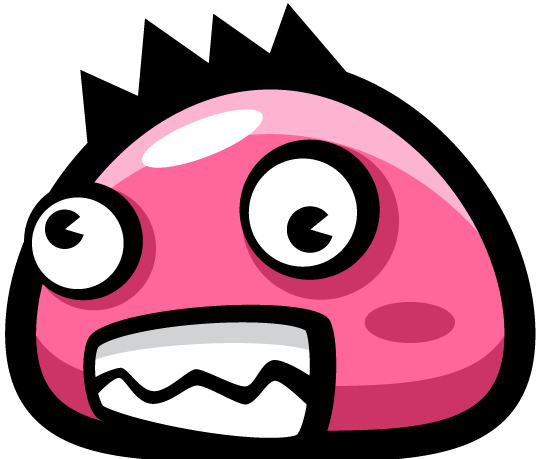
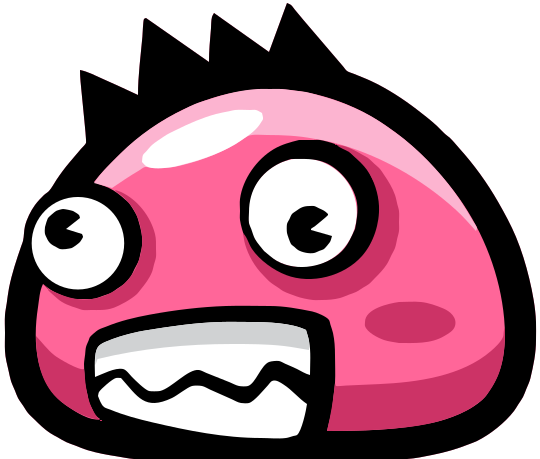
Game sprite · PNG in, SVG out · Move across the image to compare
How it works
Step 1: Upload an image
Drop a PNG, JPG, WebP or GIF. Adaver traces it into vector shapes.
Step 2: Compare and fix
Check it against your image, then recolor, delete or merge shapes.
Step 3: Download with Pro
SVG, PDF, EPS, DXF or PNG: 1 credit per new version or format.
Tracing and editing are free with an account. Pro ($10 per month) unlocks downloads and gives 120 credits, used by AI drawings and by each new download. See pricing
What it's for
UI design and Figma
Icons into SVG layers you can edit in Figma.
SVGLogos for print
Sharp at any size, ready to send to print.
PDF · EPSLaser cutting and CNC
Closed outlines for laser, CNC and CAD.
DXFAI icons and illustrations
Describe it, AI draws it, you edit the SVG.
SVG
Supported formats
- Upload
- PNG · JPG · WebP · AVIF · BMP · GIF
- Download
- SVG · PDF · EPS · DXF · PNG
Every format comes from the same drawing, so switching costs no extra wait.
Figma, Illustrator and AI agents
We are bringing Adaver into the tools you already use. See what is open now and what is coming.
See integrationsWhat's new
See everythingComing soon
Edit gradients like colorsChange a whole gradient at once: pick its key colors, or shift its hue and lightness.
Notify me when it’s liveCommon questions
Cost, quality, privacy and what happens to your files.
What does it cost?
Uploading, tracing, re-tracing and editing by hand are free. Free accounts get 10 credits once their email is verified; Pro gives 120 credits a month. A drawing from a description or an AI edit uses 1 credit at Low quality, 3 at Standard. Downloading needs Pro or a pack, and each new version or format you download uses 1 paid credit (free and code credits don't count); the same one again is free. Pack credits are valid for 1 year.
Why does my photo look wrong?
Photos and soft gradients turn into thousands of flat shapes. Adaver is built for logos, icons and flat illustrations, where a few solid colors become a few clean shapes.
How long do you keep my files?
Images you upload, and the latest version of every drawing you make, are saved to My drawings and stay there until you delete them (images over 10 MB, BMP and GIF aren't saved there, nor are drawings over 10 MB). Studio's earlier versions and exports are deleted 24 hours after they are made; you can delete them sooner from Studio. Drawings saved automatically have their own space, as big as your plan's My drawings limit: when it is full, auto-save pauses until you remove some.
Are my images used for training?
No. Your images and drawings are never used to train AI models. Uploads go through an automatic safety check (Microsoft Azure AI Content Safety) before they are traced, and Ask AI sends your drawing to the image model to make the edit.